
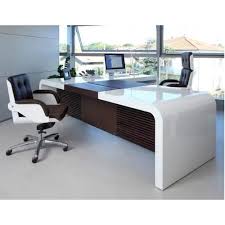
Creating the Perfect Office Workstation: A Comprehensive Guide
The modern workplace has transformed, placing a premium on creating a productive and ergonomic environment. Central to this evolution is the concept of the perfect office workstation—a space designed to optimize focus, comfort, and efficiency. Designing an ideal workstation involves more than just placing a desk and chair; it requires a thoughtful combination of elements tailored to your work style and needs. In this comprehensive guide, we will delve into the essential components of crafting the perfect office workstation, offering insights, tips, and strategies to help you create a workspace that supports your productivity and well-being.
Assessing Your Needs
Before diving into office furniture and accessories, take time to assess your work requirements. Are you focused on creative tasks that demand space for brainstorming, or do you require a computer-centric setup? Identify the tools and equipment you use most frequently, and prioritize comfort and functionality.

Ergonomic Essentials
Ergonomics form the foundation of a productive workstation. Invest in an adjustable ergonomic chair that supports proper posture, reducing strain on your spine and muscles. Ensure your desk is at the right height to prevent wrist and shoulder discomfort. An ergonomic keyboard and mouse can also enhance your comfort and productivity.
Optimal Desk Setup
Choose a desk that provides ample space for your tasks. Consider a sit-stand desk that allows you to switch between sitting and standing, promoting circulation and reducing the risk of sedentary-related issues. Keep your desktop clutter-free, with only essential items within arm’s reach.
Illumination and Lighting
Proper lighting is crucial for reducing eye strain and maintaining focus. Position your workstation near natural light sources whenever possible. Supplement with adjustable task lighting to ensure well-lit work surfaces without creating glare on screens.
Cable Management
A tidy workspace contributes to a clear mind. Implement effective cable management solutions to prevent clutter and tangling. Use cable clips, sleeves, and cable organizers to keep cords organized and out of the way.
Personalization and Inspiration
Personal touches can enhance your motivation and creativity. Incorporate artwork, plants, or motivational quotes to make your workstation feel welcoming and inspiring. Keep it clutter-free while infusing your personality into the space.
Multi-Monitor Setup
For tasks that require multitasking or extended screen real estate, consider a multi-monitor setup. Ensure the screens are at eye level and angled slightly downward to reduce neck strain.
Storage Solutions
Efficient storage is vital to keep your workspace organized. Opt for a combination of drawers, shelves, and storage units to house your work materials, documents, and supplies. Labeling and categorizing items can further streamline your organization.
Acoustic Considerations
Noise can disrupt concentration, so take acoustic considerations into account. Incorporate noise-absorbing materials, such as rugs, curtains, or acoustic panels, to create a quieter and more focused environment.
Regular Maintenance
A perfect workstation requires ongoing maintenance. Keep your workspace clean and organized, and make adjustments as needed to accommodate changes in your work routine or equipment.
Creating the perfect office workstation is a dynamic process that requires careful planning, attention to detail, and adaptability. By assessing your needs, prioritizing ergonomics, optimizing lighting and storage, and adding personal touches, you can design a space that empowers your productivity and contributes to your overall well-being. Remember, the perfect workstation is not a fixed concept—it evolves with your work habits and preferences. Continuously refine and optimize your setup to ensure it remains a supportive and inspiring space throughout your career journey.